
Documentation Practice
Docs as Code: Workflow, Tools, and Migration Guide
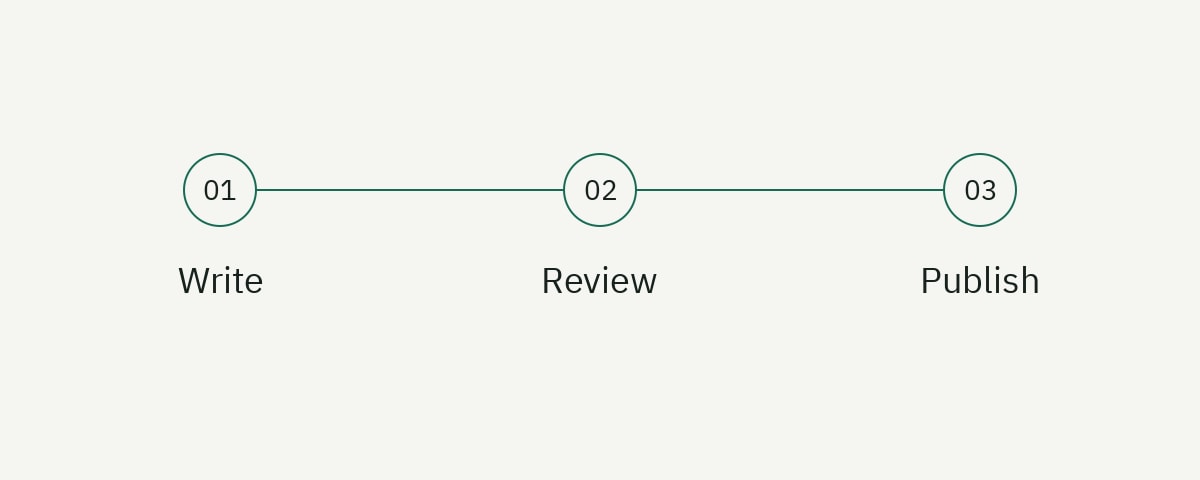
Docs as code is a documentation workflow that applies software-development practices to technical content. Writers and engineers create source files in version control, review changes through pull requests, run automated quality checks, and publish from a repeatable build pipeline.
The value is not that Markdown is better than every editor. The value is that documentation becomes visible in the same change system as the product it explains. An API change can include its reference update. A renamed configuration field can update the guide that uses it. Reviewers can see exactly what changed, discuss individual lines, and restore an earlier version when necessary.
This guide explains the workflow, its trade-offs, a repository structure you can adapt, useful automation, and a migration plan that does not require moving an entire documentation portal at once.
What is docs as code?
Docs as code means managing documentation with version control, plain-text source files, code review, automated testing, and continuous delivery. A typical change moves through this sequence:
- A contributor creates a branch.
- The contributor edits Markdown, MDX, an API specification, or another text-based source.
- Automated checks validate links, style, formatting, and builds.
- Reviewers comment on the pull request.
- An approved change merges into the default branch.
- The documentation site builds and deploys automatically.
Git provides history and collaboration primitives. The static-site generator turns source into a website. Continuous integration enforces the minimum quality bar. Hosting serves the generated output.
GitHub’s documentation describes pull requests as a way to propose, review, and merge code changes; the same review model works for documentation stored in the repository. See the official GitHub pull request guide for the underlying workflow.
Docs as code does not mean only engineers can contribute. A mature implementation reduces technical friction for writers with browser-based editing, clear templates, previews, documented commands, and small review requirements. The workflow should serve the team, not make every punctuation fix feel like a software release.
When docs as code is a good fit
Docs as code works especially well when documentation is coupled to software behavior.
Choose it when:
- Product changes frequently affect commands, configuration, APIs, or SDKs.
- Engineers need to review technical accuracy.
- The team already uses Git and pull requests.
- Documentation needs versioning alongside product releases.
- Examples, links, schemas, or formatting can be tested automatically.
- The site is published from structured source rather than edited visually in production.
It may be a poor default for a policy library maintained mainly by nontechnical operators, a help center with complex support-agent workflows, or a marketing site whose publishing team relies on visual composition. A hybrid model can be more effective: developer documentation in Git, support content in a knowledge-base platform, and shared terminology synchronized between them.
The decision should follow contributors and change patterns. Do not select docs as code because the toolchain looks sophisticated. Select it because versioned review and automation solve real maintenance problems.
A docs-as-code repository structure
Repository structure should make ownership and content relationships obvious. One workable starting point is:
docs/
├── README.md
├── contributing.md
├── style-guide.md
├── package.json
├── src/
│   ├── content/
│   │   ├── getting-started/
│   │   ├── guides/
│   │   ├── concepts/
│   │   └── reference/
│   ├── assets/
│   └── data/
├── api/
│   └── openapi.yaml
├── scripts/
│   ├── check-links.mjs
│   └── test-examples.mjs
└── .github/
    ├── CODEOWNERS
    ├── pull_request_template.md
    └── workflows/docs.yml
The exact names matter less than consistency. Separate human-authored guides from generated reference inputs. Keep assets close enough to their content that contributors can find them. Put contributor instructions at the repository entry point. Avoid a deep directory hierarchy that mirrors internal teams rather than reader tasks.
If documentation lives inside the product repository, give it a clear top-level directory and build command. If it lives in a dedicated repository, document how product changes trigger or coordinate documentation changes.
The minimum local workflow
A contributor should be able to preview a change with a small number of commands. For a Node-based site, that might be:
git clone https://github.com/example/developer-docs.git
cd developer-docs
npm ci
npm run dev
Document required Node versions and package-manager versions. Commit the lockfile. Use npm ci in automation so builds install the dependency tree recorded in that lockfile.
Add focused scripts rather than asking contributors to remember tool-specific commands:
{
  "scripts": {
    "dev": "astro dev",
    "check": "astro check && vale src/content",
    "check:links": "node scripts/check-links.mjs",
    "build": "astro build"
  }
}
The project’s README should explain what each command does, what a successful result looks like, and how to solve common setup failures. A five-command installation section with no troubleshooting is not an onboarding guide.
Pull requests make documentation change visible
Every documentation pull request should provide enough context for a reviewer to judge the change without reconstructing the entire issue.
A useful template asks for:
## What changed?

Describe the reader-facing change.

## Why is it needed?

Link the product change, issue, support pattern, or research finding.

## How was it verified?

- [ ] Commands or code examples were run
- [ ] Links were checked
- [ ] UI labels match the current product
- [ ] Screenshots reflect the current interface

## Review needed from

Name the technical and editorial reviewers.
Review responsibilities should be explicit. A subject-matter expert checks behavior. A documentation owner checks structure, reader fit, terminology, and consistency. An automated build checks syntax and site integrity. Requiring one person to cover all three produces slow reviews and inconsistent standards.
Use a CODEOWNERS file to request the right reviewers automatically:
/docs/reference/ @api-platform-team @docs-team
/docs/guides/billing/ @billing-team @docs-team
/api/openapi.yaml @api-platform-team
Do not require half the company to approve routine corrections. Match review rigor to risk. A typo can use a lightweight path; an authentication change needs technical review and tested examples.
Documentation CI should catch objective failures
Automated checks are most useful when they enforce facts a machine can evaluate consistently.
Good candidates include:
- The site builds successfully.
- Internal links resolve.
- Required frontmatter fields exist.
- OpenAPI files validate.
- Code blocks compile or execute where practical.
- Prohibited terminology does not appear.
- Images exist and have useful alternative text.
- Formatting matches the repository standard.
Avoid turning subjective style preferences into dozens of noisy rules. If a check produces frequent false positives, contributors will learn to ignore it.
A GitHub Actions workflow can keep the pipeline understandable:
name: Documentation

on:
  pull_request:
    paths:
      - 'docs/**'
      - 'api/**'
      - '.github/workflows/docs.yml'

jobs:
  validate:
    runs-on: ubuntu-latest
    steps:
      - uses: actions/checkout@v6
      - uses: actions/setup-node@v6
        with:
          node-version: 22
          cache: npm
      - run: npm ci
      - run: npm run check
      - run: npm run check:links
      - run: npm run build
For style linting, Vale can apply terminology and editorial rules to text files. For API contracts, use a validator aligned with the version of the OpenAPI Specification your project adopts. Pin tool versions so contributors and CI evaluate the same rules.
Test code examples at the right level
Not every code block can be executed in CI. Some need credentials, paid infrastructure, or destructive operations. Classify examples instead of pretending every snippet has equal test coverage.
| Class | Example | Suitable check |
|---|---|---|
| Syntax | JSON, YAML, shell fragments | Parse or lint |
| Compile | SDK examples | Compile with pinned dependencies |
| Isolated run | Utility functions | Unit test |
| Integration | API requests | Run against a sandbox |
| Manual | Cloud-console workflow | Scheduled review with evidence |
Tag or locate examples by class. A JavaScript sample stored as an imported source file can be compiled and inserted into documentation, preventing the tested file and displayed snippet from drifting apart.
// examples/create-delivery.mjs
import { Relayline } from '@relayline/sdk';

const client = new Relayline({ apiKey: process.env.RELAYLINE_API_KEY });
const result = await client.deliveries.create({
  event: 'order.created',
  destination: process.env.WEBHOOK_URL,
});

if (!result.id) throw new Error('Expected a delivery ID');
console.log(result.id);
Run integration examples only against accounts and environments designed for automation. Redact output before committing fixtures. Treat an example that modifies infrastructure as production code with corresponding safety controls.
Choose a documentation site generator based on constraints
Popular tools overlap, but their strengths differ.
- Docusaurus suits React-oriented teams that want versioning, plugins, and a conventional documentation structure. Its official documentation covers versioning, search integrations, and deployment.
- MkDocs is attractive for Python-heavy environments and teams that value a simple Markdown configuration. See the MkDocs user guide for its project model.
- Astro works well when the team wants content collections, flexible components, and static output without shipping unnecessary client JavaScript. The Astro content collection guide explains schema-validated content.
- Redocly, Stoplight, or similar API tooling can render OpenAPI reference content and add governance workflows.
Evaluate authoring experience, versioning, search, accessibility, API-reference requirements, localization, deployment environment, and integration with existing identity systems. Do not choose solely from the default theme.
Version documentation with the product
Versioning strategy should reflect how users experience the product. If only one API version is supported, a single current documentation set may be clearer than a version selector. If several versions remain active, users need an obvious version indicator and links to the correct reference.
Store version information as data rather than copying entire sites without a plan. Mark deprecated content prominently. Provide migration guides that describe changed behavior, not just renamed fields.
A release pull request template can include documentation impact:
## Documentation impact

- [ ] No user-visible behavior changes
- [ ] Existing documentation remains accurate
- [ ] Documentation update is included in this pull request
- [ ] Follow-up documentation issue: #____
The checkbox does not guarantee quality. It creates a decision point where a silent documentation gap is harder to overlook.
Preview deployments improve review quality
Reviewers catch more issues when they can inspect a rendered page. Configure the hosting platform to build a temporary preview for each pull request. Link that preview from the pull request and include authentication if the content is not public.
Review the preview for navigation, code wrapping, tables, callouts, responsive behavior, and cross-page context. A Markdown diff cannot reveal every presentation problem. Conversely, a visual preview does not replace the diff; reviewers need both the rendered effect and the exact source change.
Ownership prevents docs as code from becoming docs in Git
Putting files in a repository does not create a maintenance system. Define ownership at three levels:
- Product ownership: who confirms behavior and upcoming changes?
- Documentation ownership: who maintains structure, quality, and reader experience?
- Operational ownership: who maintains the build, dependencies, search, and hosting?
Record escalation routes for broken builds and urgent corrections. Set expected review times. Use a backlog that distinguishes accuracy defects from improvements. Without ownership, pull requests wait, dependencies age, and the repository becomes another place where content goes stale.
Documentation maintenance should be planned alongside product work. A feature is not ready for external use if users cannot understand or operate it. Put documentation acceptance criteria in the issue before implementation is complete.
How to migrate to docs as code safely
A migration is a content and workflow project, not a file conversion exercise.
1. Inventory the current site
Export URLs, titles, traffic, backlinks, owners, content types, and last meaningful review dates. Identify duplicates and pages that should not migrate. Preserve existing URLs where possible.
2. Select one representative section
Choose a bounded section with real value and manageable dependencies. It should include common content types such as a guide, reference page, code sample, and image. Avoid starting with either the easiest page or the most politically difficult area.
3. Define the target pattern
Create templates, frontmatter, navigation rules, asset conventions, and acceptance criteria. Decide how redirects, search, analytics, and versioning will work before bulk migration.
4. Build the workflow
Set up local preview, pull-request validation, review ownership, and deployment. Ask actual contributors to complete a change. Fix the workflow friction revealed by the pilot.
5. Migrate and improve deliberately
Separate mechanical conversion from editorial improvement when necessary. Automated conversion can preserve content and links; writers can then repair structure, accuracy, and examples. Trying to perfect every page during import makes progress difficult to measure.
6. Redirect and observe
Map every retired URL to the closest useful destination. Check crawl errors, internal search, analytics, and support signals after release. Keep a rollback plan for routing and deployment.
Common docs-as-code mistakes
Copying engineering complexity into the writer experience
Contributors should not need deep knowledge of containers, package resolution, or deployment credentials to correct a sentence. Provide a development container, browser editor, or setup script when local installation is heavy.
Measuring adoption by repository activity
More commits do not necessarily mean better documentation. Measure review time, release alignment, example health, successful user tasks, and unresolved documentation debt.
Generating everything
Generated reference is valuable for consistent contracts. It cannot explain why a developer chooses one workflow, how several operations form a task, or what trade-offs matter in production.
Treating Git history as a content strategy
Version control tells you what changed. It does not tell you what the audience needs, whether navigation works, or which pages deserve maintenance. Research and editorial judgment remain essential.
Docs-as-code implementation checklist
- Repository ownership and contribution paths are documented.
- A new contributor can preview the site from clean setup instructions.
- Pull requests identify reader impact and verification evidence.
- Technical and editorial review responsibilities are separate and clear.
- The build, links, frontmatter, and specifications are checked automatically.
- Important examples are classified and tested at an appropriate level.
- Preview deployments are available for meaningful changes.
- Documentation impact is considered in product releases.
- Supported versions and deprecations are visible to readers.
- Redirects preserve useful URLs during migration.
- Maintenance metrics focus on user outcomes, not commit volume.
Frequently asked questions
Is Markdown required for docs as code?
No. Markdown is common because it is readable and works with many tools, but AsciiDoc, reStructuredText, MDX, OpenAPI YAML, and other text formats can use the same version-control and review workflow.
Should documentation live in the product repository?
It depends on change coupling and contributor needs. Co-location makes atomic product-and-documentation changes easier. A dedicated repository can simplify permissions, deployment, and information architecture. Define an explicit coordination mechanism either way.
Can nontechnical writers use docs as code?
Yes, when the workflow includes clear setup, templates, browser editing, previews, and responsive support. If routine edits require complex Git recovery, the implementation needs improvement.
Does docs as code prevent stale documentation?
No. It makes changes visible and enables automation, but it still requires ownership and release discipline. A repository can preserve stale documentation perfectly.
Make the workflow earn its complexity
Docs as code is effective when it connects documentation to product change, makes review accountable, and automates objective quality checks. It fails when the organization adopts Git without designing for contributors or assigning maintenance ownership.
Start with one representative section, build a usable contribution path, and test the full change cycle. For a broader review of documentation structure and maintenance risk, use the Doc Health Check sample as a model or explore Emminex’s documentation audit service.