
Developer Tooling
Backstage Software Templates: Build a Golden Path
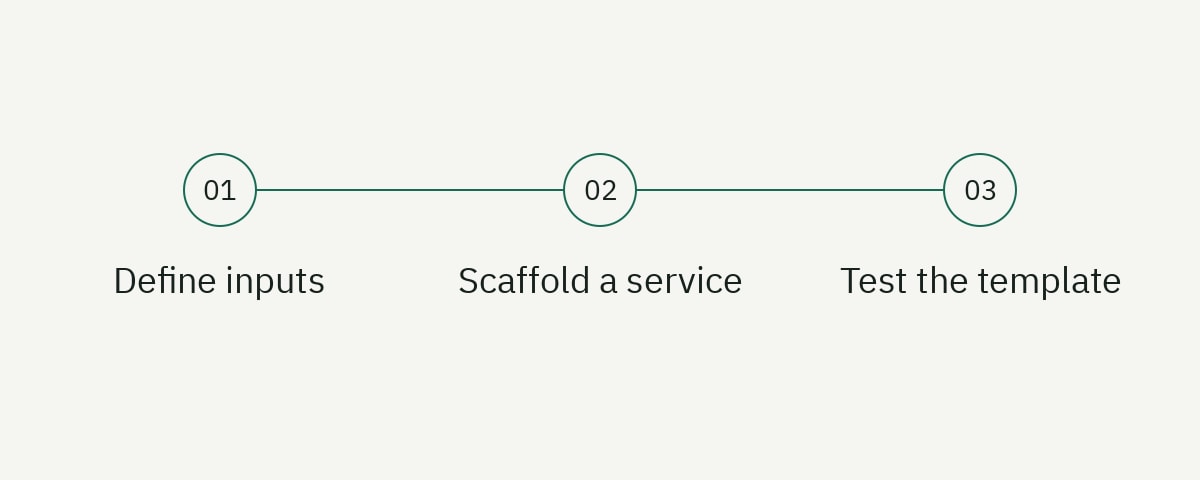
A Backstage Software Template turns an approved engineering path into a self-service workflow. A developer supplies a small set of validated inputs; the Scaffolder renders a service skeleton, publishes a repository, registers the component in the catalog, and returns useful links. The template is valuable only when the generated service is secure, owned, deployable, observable, and maintained after creation.
This tutorial builds a Node.js service template around Backstage’s scaffolder.backstage.io/v1beta3 format. It concentrates on contract design, repository contents, testing, and governance rather than initial Backstage installation. Start from a working Backstage deployment with the Software Templates feature and a configured source-control integration, as required by the official overview.
Define the golden path as a product
A golden path is a supported, opinionated route through common engineering decisions. It should remove accidental complexity while leaving intentional escape hatches. “Generate an Express repository” is too narrow. A useful service path might include:
- Repository ownership and catalog metadata.
- Runtime and dependency policy.
- Build, test, and security checks.
- Container packaging.
- Deployment configuration.
- Health and readiness endpoints.
- Logs, metrics, and tracing defaults.
- Documentation and runbook skeletons.
- Support, upgrade, and deprecation ownership.
Interview the teams that will use and operate the output. Ask what they do immediately after generation, which manual tickets remain, and where generated repositories diverge. A template that saves ten minutes of scaffolding but creates days of cleanup is not a paved road.
Set success measures: time to first deployment, percentage of generated services passing baseline checks, adoption, time to update, and exceptions. Do not measure only template executions; abandoned repositories can inflate that number.
Our developer portal checklist provides a broader portal-quality framework, while the docs-as-code guide covers review and maintenance for generated documentation.
Design a small input contract
Ask only for information the platform cannot derive. Every field increases cognitive load and creates validation work. A service name, description, owning group, lifecycle, and repository location may be enough.
Create template.yaml:
apiVersion: scaffolder.backstage.io/v1beta3
kind: Template
metadata:
  name: node-api-service
  title: Node.js API service
  description: Create an owned Node.js API with CI, container build, and TechDocs.
  tags:
    - nodejs
    - api
spec:
  owner: group:platform-engineering
  type: service

  parameters:
    - title: Service details
      required: [name, description, owner]
      properties:
        name:
          title: Service name
          type: string
          description: Lowercase repository and catalog name.
          pattern: '^[a-z][a-z0-9-]{2,38}$'
          ui:autofocus: true
        description:
          title: Description
          type: string
          minLength: 20
          maxLength: 180
          ui:widget: textarea
        owner:
          title: Owning team
          type: string
          ui:field: OwnerPicker
          ui:options:
            catalogFilter:
              kind: Group

    - title: Repository
      required: [repoUrl]
      properties:
        repoUrl:
          title: Repository location
          type: string
          ui:field: RepoUrlPicker
          ui:options:
            allowedHosts: [github.com]
            allowedOwners: [example-engineering]
Use organization pickers rather than free text when the value references a catalog entity. Constrain repository hosts and owners. Server-side authorization must still enforce allowed actions; UI options improve experience but are not a security boundary.
Descriptions should explain downstream consequences. If name becomes a repository, package, DNS prefix, and catalog identifier, say so. Avoid exposing choices that the platform does not truly support.
The Backstage template-writing documentation describes parameters, steps, outputs, presentation options, and the built-in editor.
Create a useful repository skeleton
Place generated files below skeleton/:
skeleton/
  src/
    server.ts
  test/
    health.test.ts
  docs/
    index.md
    runbook.md
  .github/
    workflows/
      ci.yaml
  catalog-info.yaml
  Dockerfile
  mkdocs.yml
  package.json
  tsconfig.json
  README.md
Generate a service that runs and passes tests, not a collection of placeholders. Include one health route and a test:
import express from 'express';

export function createApp() {
  const app = express();

  app.get('/health/live', (_request, response) => {
    response.json({ status: 'ok' });
  });

  app.get('/health/ready', async (_request, response) => {
    const ready = await dependenciesAreReady();
    response.status(ready ? 200 : 503).json({ status: ready ? 'ready' : 'unavailable' });
  });

  return app;
}
Do not make readiness always return 200. A deployment system needs to know whether the instance can serve its real workload. Keep liveness independent from a temporary database outage so the orchestrator does not restart healthy processes unnecessarily.
The README should contain a five-minute quick start, prerequisites, local commands, configuration, tests, and links to the owned documentation. The runbook should name symptoms, dashboards, rollback, and escalation. Generated prose is a starting point with an owner, not permanent truth.
Render values safely
Backstage’s built-in templating action uses ${{ values.name }} inside skeleton files after parameters are passed through fetch:template. Template expressions in template.yaml reference ${{ parameters.name }}.
An example catalog-info.yaml in the skeleton:
apiVersion: backstage.io/v1alpha1
kind: Component
metadata:
  name: ${{ values.name }}
  description: ${{ values.description | dump }}
  annotations:
    backstage.io/techdocs-ref: dir:.
spec:
  type: service
  lifecycle: production
  owner: ${{ values.owner }}
Quoting and filters matter when user input enters YAML, JSON, shell, or source code. A value safe as a repository name is not automatically safe inside a string literal. Use narrow validation, the correct serialization filter, and fixtures containing quotes, Unicode, line breaks, and template-like text.
Do not render secrets into repository files. Backstage supports secret handling for task execution, but secret values should go directly to the authorized action or external secret store and must not appear in logs or generated commits.
Use camelCase step IDs. The official documentation warns that dashes in action IDs can be interpreted as subtraction when accessed in template expressions.
Add scaffolder steps
Extend spec with a fetch, publish, and catalog-registration sequence:
  steps:
    - id: fetchTemplate
      name: Render service skeleton
      action: fetch:template
      input:
        url: ./skeleton
        values:
          name: ${{ parameters.name }}
          description: ${{ parameters.description }}
          owner: ${{ parameters.owner }}

    - id: publishRepository
      name: Publish repository
      action: publish:github
      input:
        repoUrl: ${{ parameters.repoUrl }}
        description: ${{ parameters.description }}
        defaultBranch: main
        protectDefaultBranch: true
        repoVisibility: internal

    - id: registerCatalog
      name: Register catalog component
      action: catalog:register
      input:
        repoContentsUrl: ${{ steps.publishRepository.output.repoContentsUrl }}
        catalogInfoPath: /catalog-info.yaml

  output:
    links:
      - title: Repository
        url: ${{ steps.publishRepository.output.remoteUrl }}
      - title: Catalog component
        icon: catalog
        entityRef: ${{ steps.registerCatalog.output.entityRef }}
The current publish:github action schema includes defaultBranch, protectDefaultBranch, and the private, public, or internal repoVisibility values used here. Action availability still depends on installed backend modules and Backstage version. Inspect /create/actions in your instance and use its generated schemas rather than assuming every action is registered.
Set repository visibility and branch protection according to organization policy, not user preference, unless the platform can safely support alternatives. Apply topics, team access, and required checks through reviewed actions.
Return links that lead directly to the next developer task: repository, catalog page, deployment, or documentation. A generic success message leaves the user searching.
Add CI and documentation to the output
Every generated repository should pass its initial pipeline. Include a workflow that installs locked dependencies, type-checks, tests, builds, and scans according to platform policy.
name: CI

on:
  pull_request:
  push:
    branches: [main]

permissions:
  contents: read

jobs:
  validate:
    runs-on: ubuntu-latest
    timeout-minutes: 10
    steps:
      - uses: actions/checkout@v6
      - uses: actions/setup-node@v6
        with:
          node-version: 22
          cache: npm
      - run: npm ci
      - run: npm run check
      - run: npm test
      - run: npm run build
Pin actions to approved commit SHAs in high-assurance environments. Configure repository rules so the workflow is actually required. A generated file that teams can delete without visibility is guidance, not a control.
Backstage TechDocs commonly uses mkdocs.yml, a docs directory, and the backstage.io/techdocs-ref annotation. The official TechDocs creation guide documents that structure.
The initial docs should explain ownership, local development, API boundaries, dependencies, deployment, alerts, and incident response. Do not generate ten empty pages merely to make navigation look complete.
Enforce authorization and limit template authority
A template can create repositories, assign teams, register catalog entities, provision cloud resources, and write secrets. Treat it as privileged automation.
Authorize who may execute the template, which owners they can select, which repositories they can create, and which actions the task may invoke. Do not rely on a hidden form field or picker filter. Enforce the rule in the Scaffolder backend and source-control provider.
Use dedicated integration credentials with least privilege. Repository creation does not require organization administration. Rotate credentials, monitor their use, and avoid making pull-request templates execute with production secrets.
Review custom actions like production services. Validate inputs again, use safe client libraries, set timeouts, handle retries idempotently, redact logs, and return bounded outputs. Never construct shell commands by concatenating parameters.
Capture audit events for task creator, template version, selected owner, actions, result, and created resources. Apply retention and access policy because input values may contain sensitive project information.
Design for failure and cleanup
A multi-step template can publish a repository and then fail during catalog registration. The task is partially successful. Decide which actions are safely retryable and what the user should do next.
Use stable names and idempotent operations where possible. Before creating a repository, detect conflicts and explain them. If registration fails, return the repository link and a retry or manual registration path rather than deleting valuable output automatically.
Automatic rollback is appropriate only when the created resource is known to be unused and deletion authority is explicit. A cleanup step can run with an always() or failure() condition, but destructive cleanup needs careful scoping. The current Backstage template documentation describes status-check functions for conditional steps.
Give each failure an owner. Source-control permission failures, catalog validation errors, cloud quota, and template defects may route to different teams. The error should include a task ID and public reason without leaking credentials.
Provide a “start over” path that pre-fills safe values, and prevent duplicate creation when the user retries after an ambiguous timeout.
Test the template before publishing
Use the Backstage Template Editor to load a local template, inspect its form, and execute a dry run. The editor shows generated files and action logs without requiring a real repository publication for every iteration.
Create fixtures for minimum and maximum valid names, disallowed repository owners, quotes in descriptions, Unicode, empty optional fields, and each owner type. Inspect the rendered YAML and source, then run the generated repository’s formatter, type checker, tests, build, container build, and documentation build.
Dry-run support must exist in custom actions for the editor to provide a realistic result. A custom action that skips all behavior during dry run leaves critical paths untested. Implement a safe simulation and return representative outputs.
Run an integration test in a sandbox organization that creates a repository, checks protection and team access, validates catalog registration, runs CI, and cleans up by exact known identifier. Do not point automated template tests at the main production organization without scoped controls.
Test upgrades too. Generate with the previous template version, apply the new recommended change, and note whether existing services can adopt it. Golden paths need a maintenance route, not only a creation route.
Version and roll out the golden path
Store the template and skeleton in an owned repository with CODEOWNERS, CI, changelog, and release tags. Record a template version in generated metadata so you can inventory adoption and target updates.
Roll out to a pilot group before making it the default. Observe time to completion, questions, failures, and changes developers make immediately afterward. Those edits reveal missing capability or an overly rigid opinion.
Do not silently rewrite existing repositories whenever the template changes. Offer automated upgrade pull requests, policy checks, or a migration tool. Separate mandatory security changes from optional improvements and explain both.
Deprecate old templates visibly. State the replacement, migration path, support deadline, and owner. Remove them only after catalog and repository data show that active teams have moved.
Publish a service-level objective for the path if teams depend on it for delivery. Template execution, catalog availability, source-control integration, and provisioning APIs are an operational chain.
Measure whether the path works
Measure outcomes across creation and operation:
- Median time from template start to first successful build.
- Failure rate by step and error category.
- Percentage of generated repositories still conforming after 30 or 90 days.
- Time to first deployment.
- Number and reason for escape-path requests.
- Upgrade adoption and age by template version.
- Developer satisfaction from short task-based research.
Avoid using adoption as proof of quality when the template is mandatory. Pair quantitative data with interviews and repository analysis. Developers may comply while manually undoing half the output.
Use failures to improve the path, not to blame users. If many developers enter an invalid owner format, replace the field with a picker or derive it. If every team adds the same missing dependency, update the skeleton.
Keep event telemetry bounded and privacy-aware. Repository and user identifiers may be necessary for support but should not become high-cardinality dashboard labels.
Provide an escape hatch without abandoning standards
No template covers every workload. Define how teams request an exception, which baseline controls remain mandatory, who reviews the decision, and how the exception is revisited. An undocumented fork usually stops receiving security and platform improvements.
Separate composable capabilities from one enormous template. A service can start from a small supported core and opt into a database, queue, scheduled job, or public ingress through reviewed modules. Keep combinations tested; unlimited composition can recreate the platform complexity the golden path was meant to remove.
When a team cannot use the template, capture the reason as product research. Repeated exceptions for the same architecture indicate a missing path. Rare, high-risk workloads may be better served by direct platform collaboration than by adding dozens of confusing form fields for everyone.
Frequently asked questions
What is a Backstage Software Template?
It is a versioned Scaffolder definition that collects validated parameters and runs actions such as rendering files, publishing a repository, and registering a catalog component. It is best used to encode a supported engineering workflow.
How many inputs should a service template request?
Only values the platform cannot reliably derive and that materially affect the output. Long forms recreate ticket-driven provisioning inside a portal. Use catalog and repository pickers for known entities.
Are UI restrictions enough to secure Scaffolder actions?
No. Pickers and allowed-value lists improve user experience, but backend authorization and provider permissions must enforce what the caller may create or access.
How should existing services receive template updates?
Use upgrade pull requests, conformance checks, migrations, or managed components. A creation template does not update repositories automatically, so the platform needs an explicit maintenance channel.
Maintain the road after paving it
A golden path is a maintained product, not a YAML file. It combines a small input contract, working repository skeleton, least-privilege automation, failure recovery, end-to-end tests, upgrades, documentation, and measurable ownership.
If your Backstage portal needs clearer templates, TechDocs structure, onboarding, or governance guidance, explore our developer content service. Platform adoption improves when the supported path is both technically sound and easy to understand.