
Developer Tooling
Docker Compose for Local Development: A Practical Guide
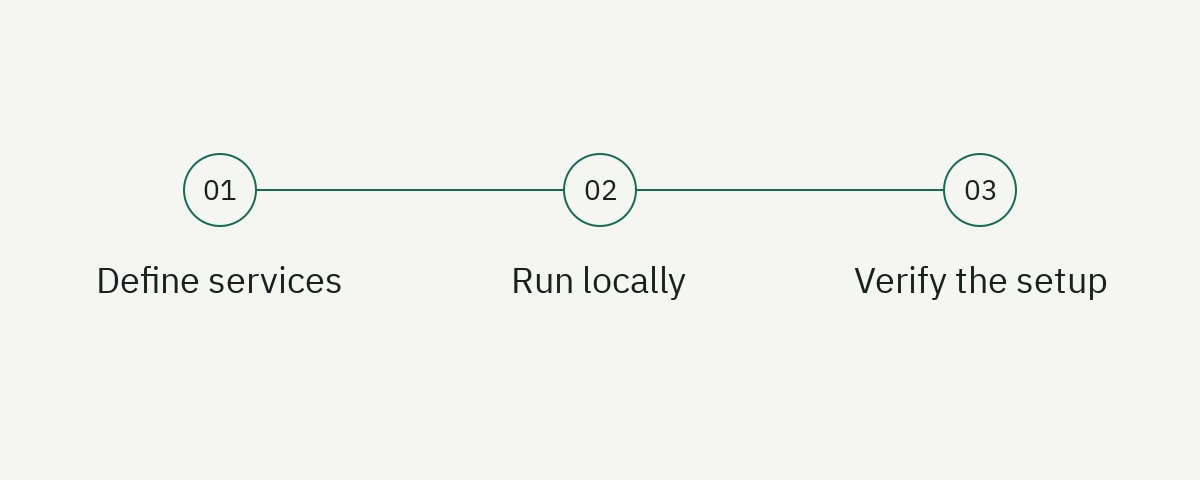
A dependable Docker Compose development environment starts the application only after its dependencies are ready, keeps source-edit feedback fast, isolates persistent state, runs migrations deliberately, and gives every developer the same documented commands. The Compose file is not a miniature production platform. It is a local product whose users are engineers.
This tutorial builds a Node.js API with PostgreSQL and Redis. It adds health checks, a one-shot migration service, development file synchronization, optional observability, safe configuration, and troubleshooting commands. The result works well for onboarding and integration tests without hiding how the services connect.
The examples follow Docker Compose documentation available in September 2026. Compose behavior changes over time, so verify attributes in the official Compose reference for the version installed on your team’s machines.
Define the development experience
Before writing YAML, define what success looks like. A new engineer should be able to clone the repository, create local configuration, run one command, and receive a healthy API with seeded dependencies. The workflow should also answer:
- Which ports are exposed to the host?
- Where is persistent data stored?
- How are schema migrations applied?
- How does source code reload?
- Which services are optional?
- How can a developer reset only project-owned state?
- How do they inspect logs, health, and networks?
Avoid forcing every dependency into a container. Editors, debuggers, credential helpers, and cloud CLIs may work better on the host. Some teams run only PostgreSQL and Redis in Compose while running Node directly for faster tooling. Support that path if it materially improves feedback.
Use Compose to make dependency contracts explicit, not to make architecture invisible. The docs-as-code guide explains how to keep environment instructions reviewed, while the developer portal checklist covers onboarding quality at a broader level.
Create the service image
Use a development-specific Dockerfile instead of overloading the production image with watchers and bind-mount assumptions.
# Dockerfile.dev
FROM node:22-bookworm-slim

WORKDIR /workspace

COPY package.json package-lock.json ./
RUN npm ci

COPY . .

EXPOSE 3000
CMD ["npm", "run", "dev"]
Pin at least a runtime line and distribution. For fully reproducible builds, pin the image digest and update it through an automated review. A floating node:latest can change the runtime and operating system without a code change.
Copy dependency manifests before source so normal image builds reuse the dependency layer. A bind mount can overwrite /workspace/node_modules with the host directory, especially when the host has no modules or uses a different platform. Use a named volume for container dependencies or Compose Watch synchronization instead of mounting the entire repository blindly.
Create .dockerignore:
node_modules
dist
.git
.env*
coverage
npm-debug.log*
Do not send secrets and large build artifacts into the Docker build context. An ignored file is not available to COPY, which is the intended behavior for local credentials.
Compose the API, PostgreSQL, and Redis
Create compose.yaml:
name: project-api

services:
  api:
    build:
      context: .
      dockerfile: Dockerfile.dev
    command: npm run dev
    environment:
      NODE_ENV: development
      PORT: 3000
      DATABASE_URL: postgresql://app:app@db:5432/app
      REDIS_URL: redis://redis:6379/0
    ports:
      - '127.0.0.1:3000:3000'
    depends_on:
      db:
        condition: service_healthy
      redis:
        condition: service_healthy
      migrate:
        condition: service_completed_successfully
    develop:
      watch:
        - action: sync
          path: ./src
          target: /workspace/src
        - action: rebuild
          path: ./package-lock.json
        - action: rebuild
          path: ./package.json

  db:
    image: postgres:18-bookworm
    environment:
      POSTGRES_DB: app
      POSTGRES_USER: app
      POSTGRES_PASSWORD: app
    ports:
      - '127.0.0.1:5432:5432'
    volumes:
      - postgres-data:/var/lib/postgresql
    healthcheck:
      test: ['CMD-SHELL', 'pg_isready -U app -d app']
      interval: 3s
      timeout: 3s
      retries: 20
      start_period: 10s

  redis:
    image: redis:8-alpine
    command: redis-server --appendonly yes
    ports:
      - '127.0.0.1:6379:6379'
    volumes:
      - redis-data:/data
    healthcheck:
      test: ['CMD', 'redis-cli', 'ping']
      interval: 3s
      timeout: 3s
      retries: 20

volumes:
  postgres-data:
  redis-data:
Inside the Compose network, the API connects to db:5432 and redis:6379, not localhost. Each service has DNS under its service name. Host mappings are bound to 127.0.0.1 so databases are not exposed on every network interface.
The named volumes persist state across normal restarts. They are scoped by the Compose project name. PostgreSQL 18 and newer official images use a version-specific data directory below /var/lib/postgresql, so the example mounts that parent path as documented in Docker’s PostgreSQL guide. Images for PostgreSQL 17 and older instead expect the volume at /var/lib/postgresql/data; match the mount to the image major version. Do not point local development at a shared production database to avoid the inconvenience of seed data.
Wait for readiness, not container creation
Starting a database container does not mean PostgreSQL is ready to accept authenticated queries. Compose creates services in dependency order, but readiness requires health checks and condition: service_healthy. Docker’s startup-order guide makes this distinction explicit.
A health check should test the capability the dependent service needs. pg_isready verifies PostgreSQL is accepting connections, but it does not prove migrations ran. Redis PING proves the server responds, not that application-specific scripts or permissions work.
Give checks realistic startup periods and timeouts. A laptop under load can take longer than a CI runner. Avoid one-second infinite retry loops that hide a genuinely broken image. After the retry budget, the environment should fail with an actionable unhealthy state.
Application code still needs connection retries. Health can change after startup, and Compose ordering is not a runtime availability guarantee. Use bounded exponential backoff, request deadlines, and clear error classification in the API.
Do not add arbitrary sleep 10. It is simultaneously too long on fast machines and too short on slow ones, and it does not tell the developer what failed.
Run migrations as a one-shot dependency
Add a migration service using the same image and configuration as the API:
services:
  migrate:
    build:
      context: .
      dockerfile: Dockerfile.dev
    command: npm run db:migrate
    environment:
      DATABASE_URL: postgresql://app:app@db:5432/app
    depends_on:
      db:
        condition: service_healthy
    restart: 'no'
The API depends on migrate completing successfully. If migration fails, the API does not start against an incompatible schema. Logs remain available through docker compose logs migrate.
Migrations must be safe to run against existing local data and must fail with a nonzero exit code. Do not convert every error into a warning. Use a database advisory lock or the migration tool’s locking mechanism if several API replicas could attempt migration elsewhere.
Separate seeding from schema migration. Production migrations should not depend on sample accounts. Add an explicit seed profile or command that inserts deterministic local data and can be run repeatedly without duplicates.
For destructive schema experiments, document how to reset the project volume. Never build automatic volume deletion into ordinary startup; a typo should not erase a developer’s investigation state.
Add fast source synchronization
Compose Watch can synchronize changed files and rebuild when dependency manifests change. Run:
docker compose watchThe example synchronizes src into the container and rebuilds when the lockfile changes. Add ignores for generated output, coverage, editor files, and test artifacts if they sit below a synchronized path.
The application’s development command must watch files inside the container and listen on 0.0.0.0:3000; binding to container loopback makes the published port unreachable. Polling may be necessary on some filesystems, but enable it only when native events fail because polling consumes CPU and battery.
If your Compose version or environment does not support Watch reliably, use a targeted bind mount:
volumes:
  - ./src:/workspace/src
  - api-node-modules:/workspace/node_modules
Avoid mounting the Docker socket or the developer’s home directory. A development container should receive only the project paths and capabilities required for the task.
Compare edit-to-response latency with running Node on the host. Containers that add several seconds to every change will be bypassed. Optimize dependency installs, watcher scope, and framework configuration rather than blaming developer discipline.
Manage configuration and secrets
Commit .env.example, never .env. List required variable names with safe development values or instructions:
# .env.example
APP_BASE_URL=http://127.0.0.1:3000
PAYMENTS_MODE=stub
OTEL_EXPORTER_OTLP_ENDPOINT=http://otel-collector:4318
The example database password in compose.yaml is acceptable only for an isolated loopback development environment. Mark it clearly and ensure the configuration cannot be reused for a deployed environment.
Use Compose env_file for non-secret local defaults and Docker secrets or external credential tooling where appropriate. Remember that environment variables can be visible through process inspection and container metadata. Highly sensitive, long-lived credentials deserve a better mechanism.
Validate configuration when the API starts. Report missing variable names without printing values. Distinguish development stubs from production endpoints, and refuse to start if a dangerous combination points local code at production with test behavior enabled.
Name variables by meaning, not by the library currently reading them. DATABASE_URL is clearer and more portable than an internal module name.
Add optional services with profiles
Profiles keep the default environment small. Add an OpenTelemetry Collector or mail viewer only when a developer needs it:
services:
  otel-collector:
    image: otel/opentelemetry-collector:0.160.0
    command: ['--config=/etc/otelcol/config.yaml']
    volumes:
      - ./dev/otel-collector.yaml:/etc/otelcol/config.yaml:ro
    ports:
      - '127.0.0.1:4318:4318'
    profiles: ['observability']
Start it with:
docker compose --profile observability up --buildDo not make the API depend on a profiled service unless the same profile enables both or the application can tolerate absence. Optional observability should not prevent ordinary startup.
Profiles are useful for resource-heavy search engines, emulators, browser-test grids, or admin UIs. Keep a small named set and describe what each adds. A different profile for every engineer becomes another undocumented environment matrix.
Pin optional image versions too. An infrequently used profile is more likely to break unnoticed after a floating image update.
Create stable team commands
Wrap Compose commands in the project’s normal task runner so developers do not memorize flags:
.PHONY: dev dev-down dev-reset dev-logs dev-status

dev:
	docker compose watch

dev-down:
	docker compose down

dev-reset:
	docker compose down --volumes --remove-orphans

dev-logs:
	docker compose logs --follow --tail=200

dev-status:
	docker compose ps
Make the destructive reset name explicit and document exactly which project volumes it removes. Do not hide down --volumes behind clean or run it automatically after tests unless data loss is clearly acceptable.
Use docker compose config in CI to validate merged configuration. It catches YAML and interpolation errors without starting services. Then run one integration smoke test that builds images, waits for health, calls the API, and tears down project resources even after failure.
Choose a unique project name in parallel CI jobs so networks and volumes do not collide. Avoid fixed host ports when jobs share a runner; either let Docker allocate ports or isolate runners.
Debug the environment systematically
Start with state:
docker compose ps
docker compose logs --tail=200 api db redis migrate
docker compose config
If the API cannot reach PostgreSQL, inspect the resolved DATABASE_URL inside the container and verify it uses db, not localhost. Check database health, migration exit code, and network membership before rebuilding everything.
Use one-off commands for inspection:
docker compose exec api node --version
docker compose exec db psql -U app -d app -c 'select now();'
docker compose exec redis redis-cli ping
exec requires a running container. Use docker compose run --rm for an isolated task based on a service definition, but understand that port publishing and dependency behavior differ.
When source changes do not appear, verify the synchronized target, watcher paths, ignored files, and container filesystem. Rebuilding repeatedly can mask the underlying mount problem.
When architecture-specific images fail on Apple silicon or ARM Linux, prefer multi-platform official images. Set platform only when emulation is acceptable and document the performance cost.
Keep local and production concerns separate
Compose can model service relationships, but local parity does not mean copying production topology. A laptop rarely needs a three-node database cluster, service mesh, or production secrets. Preserve the contracts that affect development: protocol versions, schema, environment names, health behavior, and critical infrastructure settings.
Use separate production images with multi-stage builds, a non-root runtime user, minimal dependencies, immutable code, and production commands. The development image intentionally contains compilers and watchers.
Test migrations and application behavior against supported production versions. If local PostgreSQL floats ahead of managed production, developers may adopt unsupported syntax. Pin and update through a compatibility review.
Do not mount source or credentials into production containers. Do not publish database ports publicly. Do not infer production readiness from a successful docker compose up.
Document the differences: storage durability, TLS, identity, networking, scaling, backups, observability, and secrets. Developers need to know which local shortcuts are intentional.
Test onboarding and maintenance
Run the setup on a machine without existing project volumes or cached images. Measure time to first healthy response and note prerequisites: Docker version, CPU architecture, memory, ports, and required credentials.
Test ordinary restart, image rebuild, dependency upgrade, migration failure, database data persistence, optional profiles, offline behavior, and reset. Confirm cleanup removes only project-owned resources.
Add an automated smoke test:
docker compose up --build --wait
curl --fail http://127.0.0.1:3000/health/ready
docker compose down --remove-orphans
Use a trap or workflow cleanup step so failed tests still tear down. If the test needs a clean database, use a unique project name rather than deleting a developer’s default volume.
Review the environment whenever runtime versions, ports, migrations, or required variables change. A local setup is living documentation of system dependencies and can drift just like prose.
Frequently asked questions
Should application code run inside Docker Compose during development?
Only if the consistency benefit outweighs feedback and debugging cost. Many teams containerize databases and brokers but run the application on the host. Support one clear primary workflow and test it regularly.
Why does depends_on not prevent connection errors?
Container start is not service readiness. Use a dependency health check with condition: service_healthy, and keep bounded retry logic in the application because dependencies can become unavailable later.
Should migrations run when Compose starts?
A one-shot migration service is practical for local development when failure blocks the application and logs remain visible. Keep seed data separate and do not assume the same orchestration is appropriate for production.
How do I reset local Compose data safely?
Run docker compose down --volumes from the correct project after confirming the project name and volumes. Give the command an explicitly destructive wrapper such as dev-reset; never run it as routine shutdown.
Make the environment a maintained developer tool
The best Compose setup is predictable, fast, inspectable, and difficult to misuse. Health checks replace sleeps, migrations have a visible lifecycle, volumes preserve deliberate state, and every destructive action is explicit.
If your team needs a local-environment guide, onboarding system, or developer portal that makes complex infrastructure approachable, explore our developer content service. Reproducible examples are where strong developer experience begins.