
Documentation Practice
The Complete Developer Portal Checklist for 2026
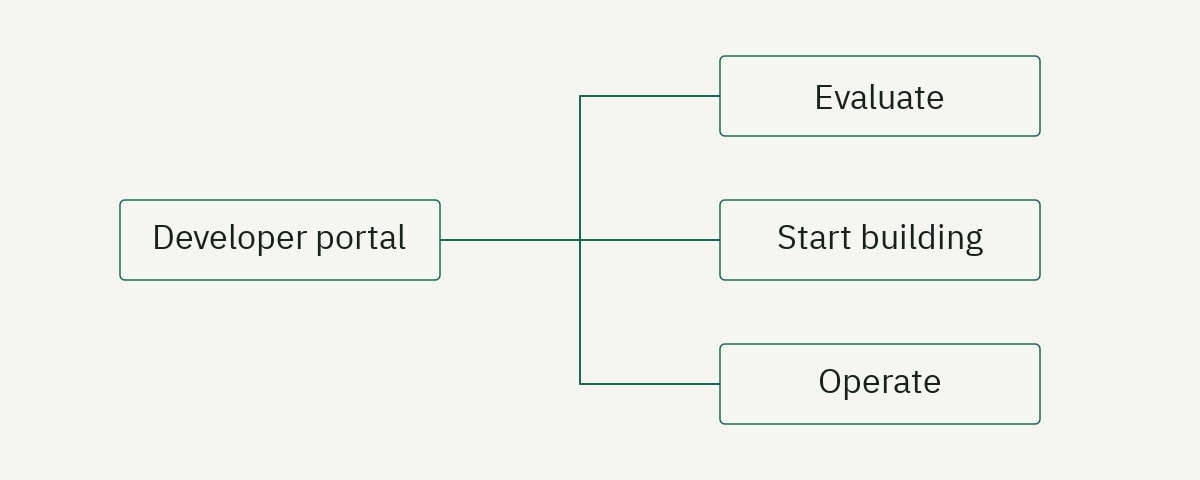
A developer portal is the operational front door to a developer product. It helps a prospective user understand what can be built, gives an implementer a reliable path to first success, defines the technical contract, and supports teams when an integration fails or changes.
The best portal is not necessarily the one with the most features. It is the one that helps its target developers complete important journeys with minimal uncertainty. An interactive API explorer cannot compensate for inaccurate authentication guidance. An elegant theme cannot fix missing error documentation. AI search cannot retrieve an answer that the portal never states clearly.
Use this 2026 developer portal checklist to evaluate content, navigation, API reference, examples, search, accessibility, reliability, governance, and discoverability. Score evidence, not impressions.
Developer portal checklist: the short version
Start with these ten requirements:
- A clear product and audience statement.
- A quickstart that produces one verified result.
- Complete authentication and authorization guidance.
- Task-oriented guides for core workflows.
- Accurate, predictable API or SDK reference.
- Errors, limits, retries, webhooks, and recovery instructions.
- Navigation and search based on developer language.
- Accessible, responsive pages with readable code and tables.
- Versioned ownership and release-aligned maintenance.
- Crawlable pages, descriptive metadata, and valid structured data.
If any of the first six are weak, prioritize them before adding personalization, chat interfaces, or elaborate dashboards.
1. Define the portal’s audience and promise
A portal homepage should answer three questions quickly:
- What does this platform enable?
- Who is it for?
- What is the best first step?
“Welcome to our developer portal” answers none of them. A stronger opening identifies the product and outcome: “Send verified account events to your data warehouse with the Relayline Events API.” The next action should match the reader’s likely state: read an overview, try a quickstart, inspect an API, or sign in to obtain credentials.
Avoid presenting five equal calls to action. A developer evaluating the product needs a recommended path. Secondary links can serve existing users without obscuring onboarding.
Checklist:
- The H1 states the product category and practical outcome.
- The intended audience is explicit.
- Core use cases are described in developer language.
- One primary getting-started action is visually clear.
- Existing users can reach reference and account tools directly.
- Product status and support links are discoverable without dominating the page.
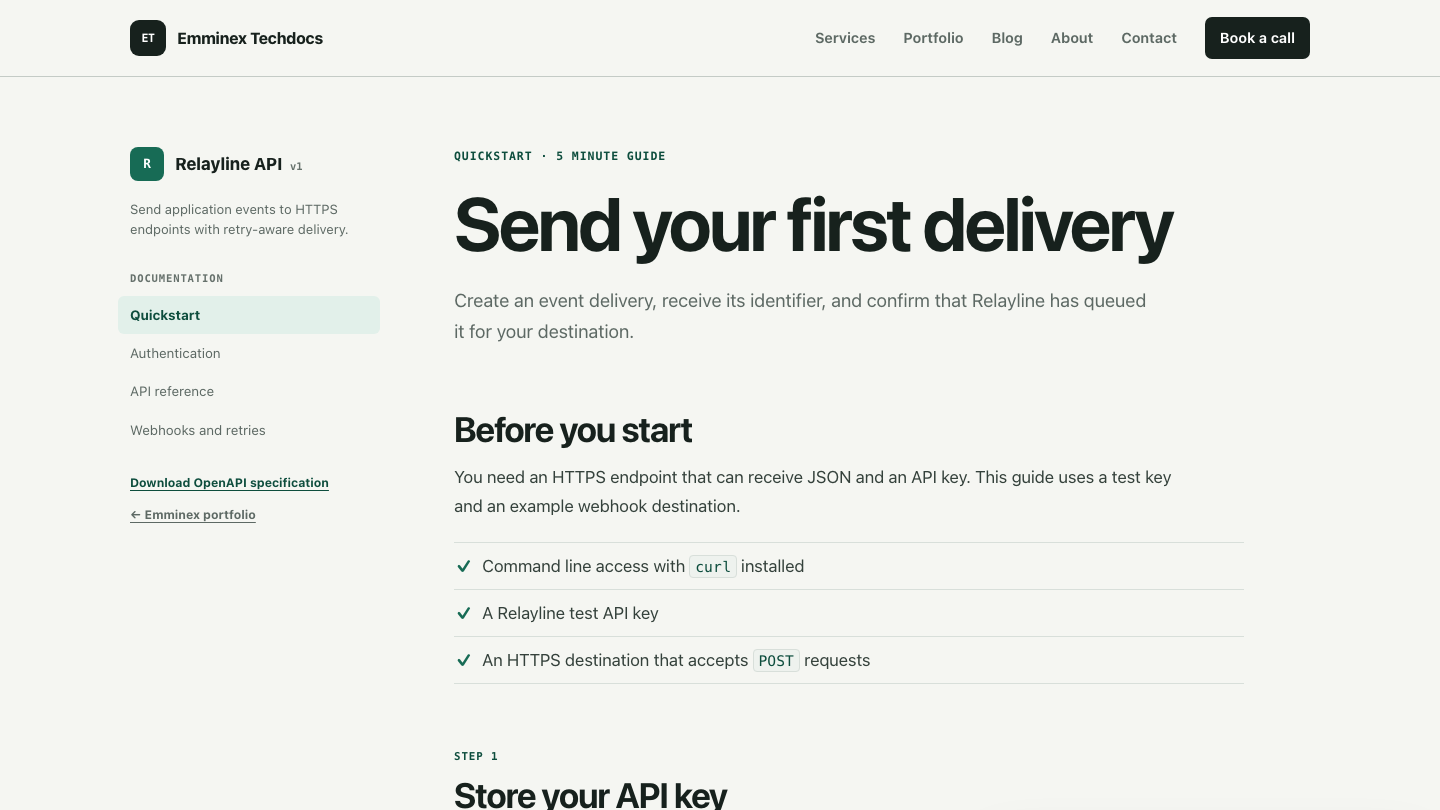
2. Build a quickstart around first success
The quickstart should lead a new developer from prerequisites to a result they can verify. It should not attempt to explain the entire platform.
Include:
- Required account, role, tools, and runtime versions.
- How to create or locate test credentials.
- The base URL and environment.
- One complete request or program.
- The expected response.
- A plain-language success criterion.
- A next step connected to a real workflow.
export RELAYLINE_API_KEY="rl_test_example"

curl --request POST \
  https://api.relayline.example/v1/deliveries \
  --header "Authorization: Bearer $RELAYLINE_API_KEY" \
  --header "Content-Type: application/json" \
  --data '{
    "destination": "https://example.com/webhooks/orders",
    "event": "order.created",
    "payload": {"order_id": "ord_7M2L9"}
  }'
Do not measure quickstart quality only by reading time. Measure whether a representative user can complete it without help and explain what the result means. A three-minute guide that produces a meaningless health-check response may be less useful than a ten-minute guide that proves the central product workflow.
3. Explain authentication and authorization completely
Authentication is frequently the first integration failure. Give it a dedicated page and link it from every relevant quickstart.
Document:
- Supported authentication methods.
- Where credentials are created and viewed.
- Test and production environments.
- Header, query, certificate, or token format.
- Scopes, roles, and resource-level permissions.
- Secure storage expectations.
- Rotation and revocation procedures.
- Expiration behavior and clock-skew requirements.
- Authentication and authorization errors.
Show a complete request:
curl https://api.relayline.example/v1/deliveries/dlv_example \
  --header "Authorization: Bearer $RELAYLINE_API_KEY"
Then separate authentication failures from permission failures. A 401 usually means credentials are missing or invalid; a 403 means the identity is known but lacks access. Your product may implement different details, so document observed behavior rather than relying on generic HTTP definitions.
Place security warnings before the risky action. Telling users not to embed a secret key in browser code after the browser example is too late.
4. Organize guides around developer tasks
Navigation should reflect what developers want to accomplish, not the company’s org chart or service architecture.
Useful task groups might include:
- Get started.
- Send and retrieve data.
- Receive events.
- Manage credentials.
- Handle errors and retries.
- Move from test to production.
- Monitor and troubleshoot.
Each procedural guide should state its outcome, prerequisites, sequence, verification, and recovery. Link to reference pages for field-level detail instead of duplicating entire schemas.
Use concept pages when developers need a mental model before acting. A lifecycle diagram can explain how queued, attempting, delivered, and failed states relate. Keep the explanation next to the tasks it supports.
5. Make API reference predictable and complete
Reference documentation is a lookup system. Consistency matters more than creative page design.
Every operation should include:
- Method and path.
- Purpose and appropriate use.
- Authentication and required permissions.
- Path, query, header, and body fields.
- Constraints, defaults, enums, and null behavior.
- Complete request examples.
- Success responses and lifecycle states.
- Stable error codes with corrective action.
- Rate-limit and idempotency behavior where relevant.
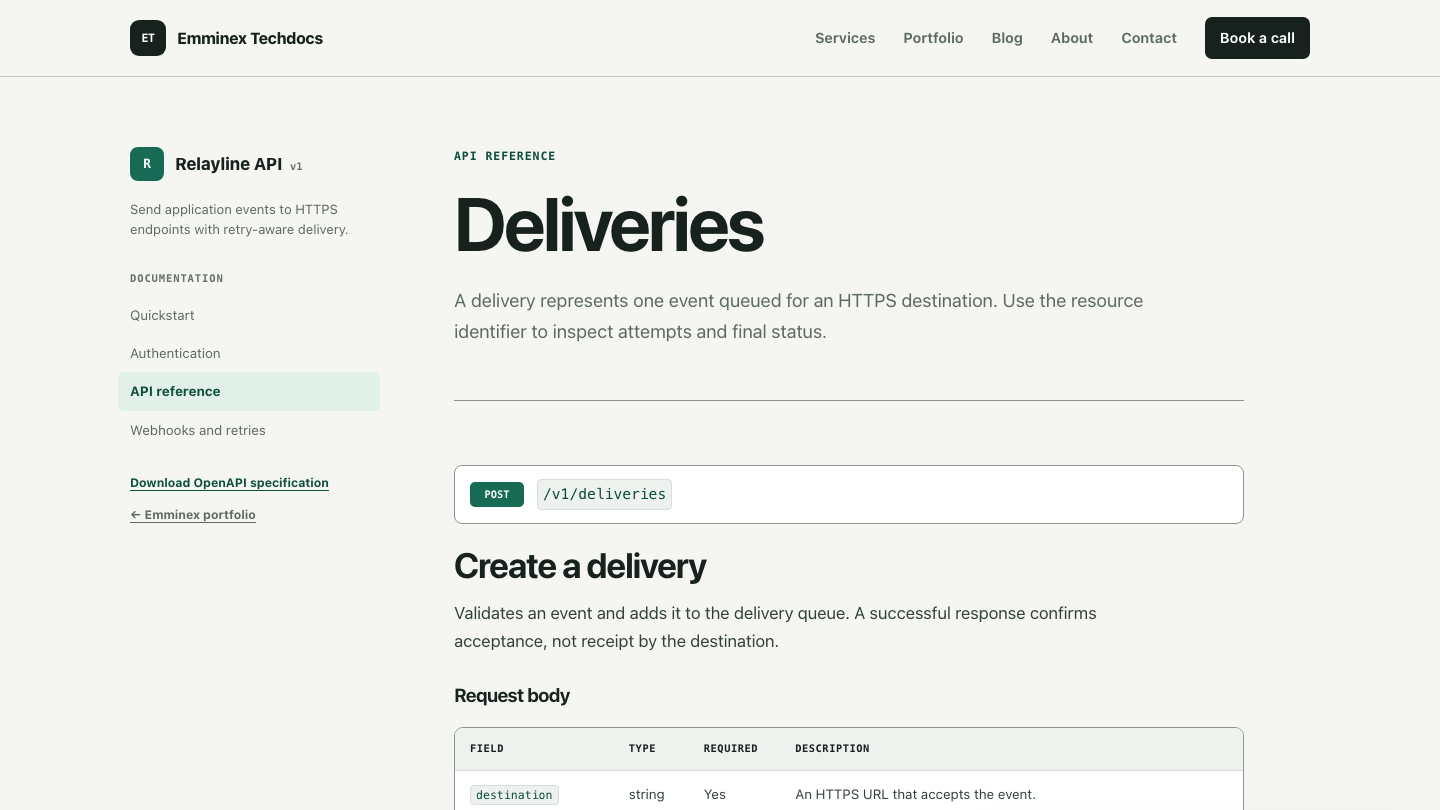
Use the OpenAPI Specification as a structured source where it fits the API. Validate the specification in continuous integration. Do not assume generated reference is correct because it builds; vague descriptions and unrealistic examples can be valid against the schema.
6. Include SDK documentation that goes beyond generated methods
SDK users need installation, initialization, configuration, retries, pagination, errors, and lifecycle guidance. A generated method list does not answer those questions.
For each supported language:
- State runtime and dependency requirements.
- Show the exact installation command.
- Initialize the client with secure configuration.
- Provide one complete core workflow.
- Explain sync, async, streaming, or callback behavior.
- Document exceptions and retry behavior.
- Link methods to the corresponding API contract.
- Publish an upgrade guide for breaking changes.
import { Relayline } from '@relayline/sdk';

const client = new Relayline({
  apiKey: process.env.RELAYLINE_API_KEY,
  timeout: 10_000,
});

const delivery = await client.deliveries.create({
  destination: process.env.WEBHOOK_URL,
  event: 'order.created',
  payload: { order_id: 'ord_7M2L9' },
});

console.log(delivery.id);
Test examples against pinned SDK versions. If several language tabs show equivalent code, verify that each example follows the conventions of that language instead of mechanically translating names.
7. Document webhooks, events, retries, and idempotency
Operational integration guidance separates a useful portal from a reference viewer.
Webhook documentation should define:
- Event types and payload envelopes.
- Delivery ordering guarantees.
- Signature headers and algorithms.
- Raw-body verification requirements.
- Timestamp tolerance and replay protection.
- Acknowledgement expectations and timeout.
- Retry schedule and terminal behavior.
- Duplicate-event handling.
- Testing and redelivery tools.
Provide a verification example that uses a timing-safe comparison:
import crypto from 'node:crypto';

export function verifySignature(rawBody, timestamp, received, secret) {
  const signed = `${timestamp}.${rawBody}`;
  const expected = crypto
    .createHmac('sha256', secret)
    .update(signed)
    .digest('hex');

  return crypto.timingSafeEqual(
    Buffer.from(expected, 'hex'),
    Buffer.from(received, 'hex'),
  );
}
State that applications should store an event identifier and handle duplicates safely. “Webhooks may be retried” is not enough to implement idempotency.
8. Make errors and troubleshooting actionable
Design troubleshooting around symptoms and next actions.
For each common failure, include:
- What the developer observes.
- The most likely causes.
- Checks in a safe diagnostic order.
- A corrected example.
- Whether and when to retry.
- What evidence to provide to support.
Add request IDs to error responses and explain where to find them. Link errors from the operations that return them. Preserve stable URLs so support teams and AI assistants can reference a precise section.
A status page is not a substitute for troubleshooting. It answers whether a shared service is impaired; it does not explain an invalid scope, signature mismatch, schema error, or application-specific timeout.
9. Design navigation and search for retrieval
Global navigation should expose major content families. Local navigation should show the current section and nearby pages. Breadcrumbs are useful for deep hierarchies, but they should not compensate for unclear labels.
Search quality depends on more than installing a search provider. Evaluate:
- Results for task language, product terminology, and error codes.
- Handling of synonyms and former names.
- Ranking of current versions above deprecated pages.
- Zero-result queries and reformulation.
- Keyboard access and visible focus.
- Useful snippets that distinguish similar pages.
Create titles and headings that make sense outside the page. “Configure webhook retries” is more retrievable than “Advanced settings.” Keep definitive facts close to descriptive headings so search engines and retrieval systems can select coherent passages.
10. Meet accessibility and responsive-design requirements
Developer portals contain difficult interface elements: wide tables, nested navigation, tabs, code blocks, and interactive explorers. Test them with keyboards, screen readers, zoom, and narrow viewports.
Review:
- Logical heading hierarchy.
- A skip link to main content.
- Visible keyboard focus.
- Sufficient text and control contrast.
- Labels for form controls and API explorer inputs.
- Alternative text for meaningful images.
- Captions or transcripts for video.
- Horizontal handling for tables and code.
- Touch targets that remain usable on mobile.
- Reduced-motion preferences.
Use WCAG 2.2 as the normative accessibility reference. Automated tests can find some issues, but keyboard and screen-reader checks remain necessary.
11. Treat performance and reliability as documentation features
A documentation page must load when the product is failing. Avoid tying public docs to the same fragile runtime path as the application dashboard when possible.
Use static output or effective caching for public content. Optimize images. Limit client-side JavaScript. Monitor broken links and failed builds. Provide a useful 404 page and redirects for moved content.
Code examples should remain readable before syntax-highlighting JavaScript loads. Search failure should not make navigation unusable. If authentication is required for some content, explain why and keep public evaluation material accessible.
Performance is also an authoring concern. A pipeline that takes twenty minutes to preview a one-line fix discourages maintenance. Measure contributor setup time, preview time, and pull-request turnaround.
12. Establish governance, ownership, and release alignment
Every important section needs a technical owner and a documentation owner. Define who confirms behavior, who approves content quality, and who maintains the platform.
Connect documentation to product work:
## Documentation impact

- [ ] No external behavior changed
- [ ] Existing pages remain accurate
- [ ] Documentation updates are included
- [ ] Migration or deprecation guidance is required
Track accuracy defects separately from editorial improvements. Give security, onboarding, and broken-example defects higher urgency than visual polish. Schedule reviews based on product change and risk rather than applying the same calendar interval to every page.
The docs-as-code guide provides a complete workflow for version control, review, automated checks, previews, and deployment.
13. Prepare the portal for search and AI-assisted discovery
Search and AI visibility begin with the same fundamentals: public crawlable pages, useful original content, stable URLs, clear headings, semantic HTML, accurate metadata, and relevant internal links.
Add a unique title and meta description to every important page. Use canonical URLs. Include pages in an XML sitemap. Apply BlogPosting, TechArticle, SoftwareApplication, or other structured data only when it matches visible content. Google emphasizes that structured data must accurately describe the page in its structured data guidelines.
Allow the crawlers you want to serve. OpenAI states that sites must allow OAI-SearchBot to be eligible for inclusion in ChatGPT search results; see its publisher FAQ. Eligibility is not placement. Build pages people would choose as sources.
Do not create hundreds of thin answer pages or keyword variants. Google’s guidance for AI features in Search prioritizes original, people-first information and warns against scaled content created mainly to manipulate rankings.
14. Measure whether the portal helps developers succeed
Useful portal metrics connect content to a task.
- Time to first successful request.
- Completion rate for onboarding steps.
- First-request failure reasons.
- Search queries with no useful result.
- Support tickets by developer journey.
- Example test failures.
- Navigation paths to important pages.
- Task-test completion and confidence.
- Documentation changes shipped with affected product changes.
Segment carefully. A returning expert and a new evaluator have different goals. Do not treat longer time on page as automatically positive; it can signal engagement or confusion. Combine analytics with support evidence, product events, and direct observation.
How to score your developer portal
Score each checklist area from zero to three:
| Score | Meaning |
|---|---|
| 0 | Missing or unusable |
| 1 | Present but blocks important tasks |
| 2 | Supports the main task with identifiable gaps |
| 3 | Accurate, usable, tested, and maintained |
Record evidence for every score. “Search feels weak” is not evidence. “The query rotate API key returns no result even though the page is titled Credential lifecycle” is evidence.
Prioritize by user impact, frequency, risk, and dependency. Fix a broken authentication quickstart before redesigning cards. Correct the API contract before adding more tutorials based on it. Repair navigation before investing in an AI assistant that retrieves the same disorganized content.
Frequently asked questions
What is a developer portal?
A developer portal is the central experience where developers discover, evaluate, integrate, and operate a technical product. It often combines documentation, API reference, SDKs, credentials, examples, changelogs, support, and account tools.
What should a developer portal include?
At minimum, include a clear overview, quickstart, authentication guide, core workflow guides, complete reference, examples, errors, operational guidance, search, support routes, and version information.
How often should a developer portal be audited?
Audit high-risk journeys after meaningful product changes and review the overall portal periodically. Release-aligned checks are more reliable than waiting for a large annual cleanup.
Does a developer portal need an AI chatbot?
No. A chatbot can improve access to strong source content, but it cannot repair inaccurate contracts, missing workflows, weak headings, or poor ownership. Establish trustworthy documentation and retrieval before adding a conversational layer.
Turn the checklist into prioritized work
A checklist is useful only when it produces decisions. Select the three most important developer journeys, walk each one, record page-level evidence, and rank fixes by impact and dependency. Assign owners and acceptance criteria before redesigning the entire portal.
See the Doc Health Check sample for an evidence register and implementation sequence, or review Emminex’s documentation audit service when you need an independent assessment.