
Developer Tooling
Build an MCP Server in TypeScript: Step-by-Step Guide
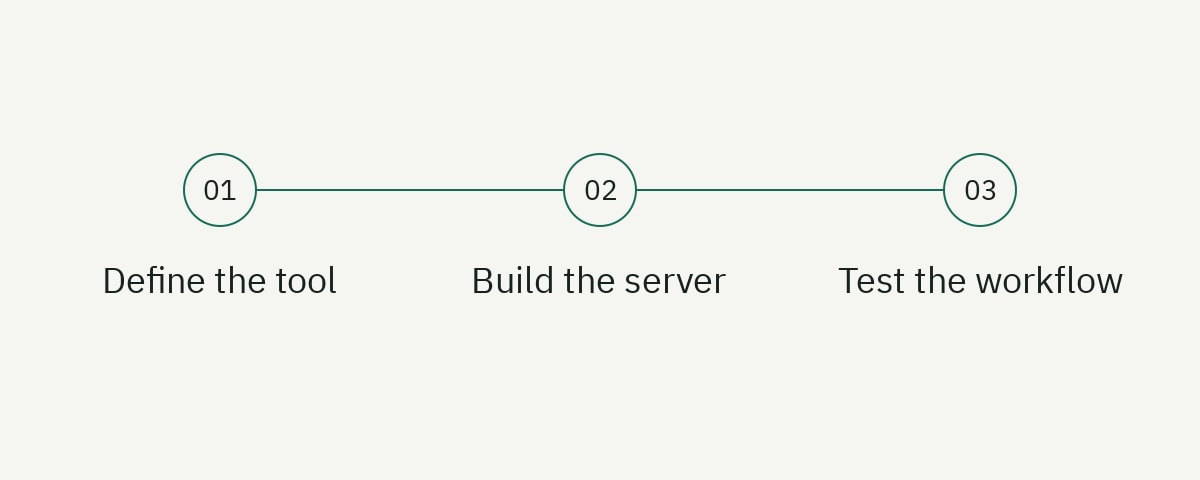
To build an MCP server in TypeScript, define a small set of task-oriented tools, validate every argument with a schema, return bounded results, and connect the server to a host through an appropriate transport. The difficult work is designing a trustworthy interface between a model and a real system. This example returns JSON serialized inside text content; it does not declare a structured-output schema.
This tutorial builds a read-only issue-triage server with the v2 TypeScript SDK. It uses stdio for local integration, isolates business logic from protocol code, reports useful errors, and includes tests that do not require an AI model. The result is a compact foundation you can extend with an authenticated API, database, or internal developer platform.
The examples target Node.js 22 or newer, strict TypeScript, and the MCP TypeScript SDK v2 documentation reviewed on September 4, 2026. The official TypeScript SDK documentation is the source of truth for the package and transport APIs used below.
Understand the MCP server boundary
The Model Context Protocol connects an AI application, called a host, to external capabilities. A server can expose three primary primitives: tools the model may call, resources the application may read, and prompts that provide reusable interaction patterns. This guide concentrates on tools because they create the clearest engineering boundary.
An MCP tool is not a vague instruction to “manage issues.” It is a contract containing a stable name, a precise description, an input schema, and a handler. The host can show that contract to a model. The model proposes a call, the SDK validates it, and your handler decides what data or operation is allowed.
Treat the server as an adapter, not as the owner of your domain logic. Ticket filtering, authorization, retries, and audit events should remain ordinary application code. The MCP layer should translate protocol inputs into those functions and translate results back into protocol content. This separation makes the behavior testable without depending on a particular host or model.
Start read-only. A tool that searches incidents or explains a deployment is easier to reason about than one that deletes resources. Add mutations only when you can define identity, authorization, confirmation, idempotency, and audit behavior. Our API documentation guide explains why explicit contracts and failure behavior matter for any developer interface.
Create the TypeScript project
Create an empty directory and install the server package, Zod, TypeScript, and Node types:
mkdir issue-triage-mcp
cd issue-triage-mcp
npm init -y
npm install @modelcontextprotocol/server zod
npm install --save-dev typescript @types/node
Merge these fields into the generated package.json, preserving the dependencies and devDependencies added by npm. Use an ES module package and compile into a dedicated directory:
{
  "name": "issue-triage-mcp",
  "version": "1.0.0",
  "type": "module",
  "bin": {
    "issue-triage-mcp": "./dist/server.js"
  },
  "scripts": {
    "build": "tsc -p tsconfig.json",
    "start": "node dist/server.js",
    "check": "tsc -p tsconfig.json --noEmit",
    "test": "npm run build && node --test dist/issues.test.js"
  }
}
Add tsconfig.json:
{
  "compilerOptions": {
    "target": "ES2022",
    "module": "NodeNext",
    "moduleResolution": "NodeNext",
    "rootDir": "src",
    "outDir": "dist",
    "strict": true,
    "types": ["node"],
    "declaration": true,
    "sourceMap": true
  },
  "include": ["src/**/*.ts"]
}
The explicit Node types are important with modern TypeScript configurations. Strict mode also prevents protocol handlers from quietly accepting ambiguous values. Run npm run check after creating the first source file; configuration failures are cheaper to fix before business logic accumulates.
Model the domain outside MCP
Create src/issues.ts. The in-memory data keeps this tutorial reproducible, while the exported function represents the seam where a production API client or repository would live.
export type Severity = 'critical' | 'high' | 'medium' | 'low';

export interface Issue {
  id: string;
  title: string;
  severity: Severity;
  service: string;
  status: 'open' | 'closed';
}

const issues: Issue[] = [
  { id: 'INC-1042', title: 'Checkout latency', severity: 'high', service: 'checkout', status: 'open' },
  { id: 'INC-1043', title: 'Expired TLS certificate', severity: 'critical', service: 'edge', status: 'closed' },
  { id: 'INC-1044', title: 'Delayed queue consumer', severity: 'medium', service: 'events', status: 'open' }
];

export function searchIssues(input: {
  severity?: Severity;
  service?: string;
  status?: Issue['status'];
}): Issue[] {
  return issues.filter((issue) =>
    (!input.severity || issue.severity === input.severity) &&
    (!input.service || issue.service === input.service) &&
    (!input.status || issue.status === input.status)
  );
}
This function has no model-specific behavior. Its input and output are deterministic. You can replace the array with a REST client later without rewriting your protocol contract. In production, add an abort signal, a timeout, pagination, and typed error classes at this boundary.
Do not pass unrestricted query languages or raw SQL through an MCP tool. Narrow inputs are easier for a model to call correctly and easier for security teams to review. A severity enum is safer than a free-form filter expression, and a bounded limit is safer than returning an entire incident history.
Register a typed MCP tool
Create src/server.ts and register search_issues. The v2 SDK uses McpServer, serveStdio, and Zod schemas as shown in the official server example.
#!/usr/bin/env node
import { McpServer } from '@modelcontextprotocol/server';
import { serveStdio } from '@modelcontextprotocol/server/stdio';
import * as z from 'zod/v4';
import { searchIssues } from './issues.js';

const severity = z.enum(['critical', 'high', 'medium', 'low']);
const status = z.enum(['open', 'closed']);

serveStdio(() => {
  const server = new McpServer({
    name: 'issue-triage',
    version: '1.0.0'
  });

  server.registerTool(
    'search_issues',
    {
      description: 'Find incidents by severity, service, or status. Returns at most 20 matching issues.',
      inputSchema: z.object({
        severity: severity.optional().describe('Exact incident severity'),
        service: z.string().trim().min(1).max(80).optional().describe('Exact service name'),
        status: status.optional(),
        limit: z.number().int().min(1).max(20).default(10)
      })
    },
    async ({ severity, service, status, limit }) => {
      const matches = searchIssues({ severity, service, status }).slice(0, limit);

      return {
        content: [{
          type: 'text',
          text: matches.length
            ? JSON.stringify({ count: matches.length, issues: matches }, null, 2)
            : 'No issues matched the supplied filters.'
        }]
      };
    }
  );

  return server;
});
Tool descriptions should say what the tool does, what it does not do, and any important limit. Models use those descriptions during selection. Avoid descriptions such as “useful issue helper,” which make it hard to distinguish search from mutation.
Return compact, stable fields. Dumping an upstream API response increases context use and exposes fields you may not intend to share. In a larger server, define an output schema or serialization function so changes in the vendor response cannot silently change the model-facing contract.
Connect the server to an MCP host
Build the project:
npm run check
npm run build
A local host generally needs the command and arguments required to launch the process. The exact configuration location differs by product, so follow the host’s current documentation. A representative configuration looks like this:
{
  "mcpServers": {
    "issue-triage": {
      "command": "node",
      "args": ["/absolute/path/issue-triage-mcp/dist/server.js"],
      "env": {
        "ISSUE_API_BASE_URL": "https://issues.example.com"
      }
    }
  }
}
Use an absolute path while developing. Restart the host after changing the configuration. Then ask it to list available tools before requesting a real search. If the tool is absent, run the command directly in a terminal. A stdio server must reserve standard output for protocol messages; send diagnostics to standard error instead.
console.error(JSON.stringify({ level: 'info', event: 'server_started' }));Never log access tokens, raw authorization headers, entire model prompts, or sensitive tool results. Even local servers may have their logs collected by endpoint-management software.
Test behavior without an AI model
Model-driven manual testing is useful for tool discoverability, but it is not a substitute for deterministic tests. Test domain behavior first:
import assert from 'node:assert/strict';
import test from 'node:test';
import { searchIssues } from './issues.js';

test('filters open high-severity issues', () => {
  const result = searchIssues({ severity: 'high', status: 'open' });

  assert.deepEqual(result.map((issue) => issue.id), ['INC-1042']);
});

test('returns no rows for an unknown service', () => {
  assert.equal(searchIssues({ service: 'unknown' }).length, 0);
});
Then add protocol-level tests using the SDK’s supported client transport or an inspector. Verify the advertised tool name, schema rejection, success response, empty response, upstream timeout, and redacted logging. Keep a small set of host-level evaluations for prompts that should choose or deliberately avoid the tool.
Useful test cases include malformed service names, a limit above 20, an upstream 401, an upstream 429, cancellation, and a result containing untrusted instructions. The last case matters because tool output is data, even when it contains language that resembles a prompt.
Add production safety controls
An MCP server extends the authority of its host. Apply the same controls you would use for an API integration, plus protections for model-mediated use.
Authenticate at the real trust boundary
For a local stdio server, operating-system access and host configuration may be the first boundary, while the upstream service still needs a scoped credential. For a remote HTTP transport, authenticate every client, validate authorization for each tool, use TLS, and avoid treating network reachability as identity.
Prefer short-lived credentials and least-privilege scopes. A read-only incident tool should not receive an administrative token. If users have different permissions, resolve the user identity rather than using one shared service account that bypasses upstream access controls.
Separate reading from mutation
Use different tools for get_issue and close_issue. Mutation tools should describe their effect precisely, require stable identifiers, support idempotency where possible, and return the resulting state. High-impact actions may need a preview tool followed by a confirmed execution tool.
Bound cost and response size
Set pagination limits, upstream timeouts, concurrency limits, and response-size ceilings. Reject unexpectedly broad queries. A model can accidentally request “all logs,” but the server controls whether that request becomes an expensive production operation.
Treat external content as untrusted
Issue titles, repository files, and web pages may contain adversarial instructions. Preserve them as quoted data, do not reinterpret them as server configuration, and never let returned text override authorization. The server, not the model, must enforce policy.
Choose stdio or Streamable HTTP deliberately
Stdio is a strong default for a local tool launched by a desktop host. It has no listening port, has a simple lifecycle, and can inherit a tightly scoped environment. Its main limitation is that every user runs and updates a local process.
Streamable HTTP is appropriate when a centrally managed service must support multiple clients. It introduces authentication, tenancy, request routing, deployment, observability, and availability concerns. Do not convert to HTTP merely to place the server “in the cloud.” Decide who operates it, how callers authenticate, and whether sessions are stateful.
The SDK documentation identifies Streamable HTTP as the remote transport and treats the older HTTP-plus-SSE path as legacy compatibility. The 2026-07-28 specification release notes describe the newer stateless protocol core and header-based routing that v2 can serve. Choose and test the protocol revision your intended hosts support rather than assuming that installing a newer package changes every connection’s wire behavior.
For either transport, publish operator documentation: configuration, required permissions, available tools, expected errors, data handling, version compatibility, and rollback. The workflow in our docs-as-code guide is a practical way to keep that material reviewed alongside the server.
Document tools for developers and models
Every tool needs more than a TypeScript type. Document when to use it, when not to use it, input semantics, limits, authorization, side effects, representative output, errors, and examples. A developer needs this to integrate and debug. A model needs clear names and descriptions to select the tool correctly.
Keep terminology consistent across the code, README, tool description, and product UI. If the product calls an object an “incident,” do not alternate between ticket, alert, case, and event without explaining the relationship. Stable entity language makes content easier for humans to scan and for retrieval systems to quote accurately.
Version the behavior deliberately. Adding an optional input is usually safer than changing the meaning of an existing field. Renaming a tool may break saved host configuration or model evaluations. Maintain a changelog and test older clients before removing a contract.
Evaluate tool selection and result quality
Protocol tests prove that a tool can be called; evaluations show whether a host is likely to call it appropriately. Build a small, versioned set of realistic user requests with expected behavior. Include direct requests that should select the tool, ambiguous requests that should trigger clarification, and unrelated requests that should not invoke it.
For search_issues, useful evaluation cases include “show open critical incidents,” “what happened to checkout yesterday,” and “close every old incident.” The first should call the read-only tool with a severity filter. The second may need a time filter the current contract does not provide, so the correct behavior is to explain the limitation rather than invent a result. The third must not be mapped to search as if a mutation occurred.
Evaluate arguments and interpretation separately. A model may choose the right tool but use service: payments when the system calls it checkout. Controlled enums or a discovery resource can reduce that mismatch. Measure empty results, invalid calls, repeated calls, latency, and result size, not only task success.
Keep evaluation data free of real customer incidents and credentials. Run it when tool names, descriptions, schemas, server instructions, or host models change. A capability can remain protocol-compatible while its practical discoverability degrades.
Plan compatibility and rollout
Expose a server version and maintain a changelog, but do not assume semantic versioning alone protects clients. Hosts may cache tool metadata, users may keep old local processes, and remote deployments may serve several versions during rollout.
Add new optional fields before making them required. Preserve old tool names through a measured deprecation window, or register a compatibility wrapper that returns a clear migration notice. When changing output, keep stable machine fields and let presentation evolve independently.
Roll out high-impact tools to a small permission group first. Review audit events and failure patterns, then expand access. Keep a kill switch that disables a mutation without removing the entire server. The operating team should be able to identify the deployed server build, SDK line, enabled tools, and configuration without exposing secrets.
Frequently asked questions
What is the fastest way to build an MCP server in TypeScript?
Use the official TypeScript SDK, start with stdio, register one read-only tool with a strict Zod schema, and connect it to a host. Keep the business function separate so you can test it before adding authentication, remote transport, or mutations.
Should an MCP server expose tools, resources, or prompts?
Expose a tool for a bounded action or query, a resource for addressable read-only context, and a prompt for a reusable interaction template. Do not force every capability into a tool. Choose the primitive whose semantics match the operation.
Can an MCP server safely modify production data?
It can, but the model must not be the security boundary. Enforce caller identity, authorization, validation, idempotency, impact limits, and audit logging in the server. Consider preview and confirmation stages for destructive or expensive operations.
How should I debug a stdio MCP server?
Run the compiled command directly, send logs to standard error, confirm the host uses an absolute path, and validate the tool through an MCP inspector or test client. Protocol messages and ordinary console output must not compete on standard output.
Build the smallest trustworthy server
A useful MCP server is not the one with the longest tool list. It is the one whose contracts are easy to understand, whose permissions are narrow, whose output is predictable, and whose failures are observable. Begin with one read-only workflow, test it without a model, and add authority only after the operational controls exist.
If your team is designing an MCP surface, API, or developer portal, review the available API documentation service. Clear contracts and tested examples are what turn an experimental connector into a dependable developer tool.