
Developer Tooling
Build a Production-Ready TypeScript CLI
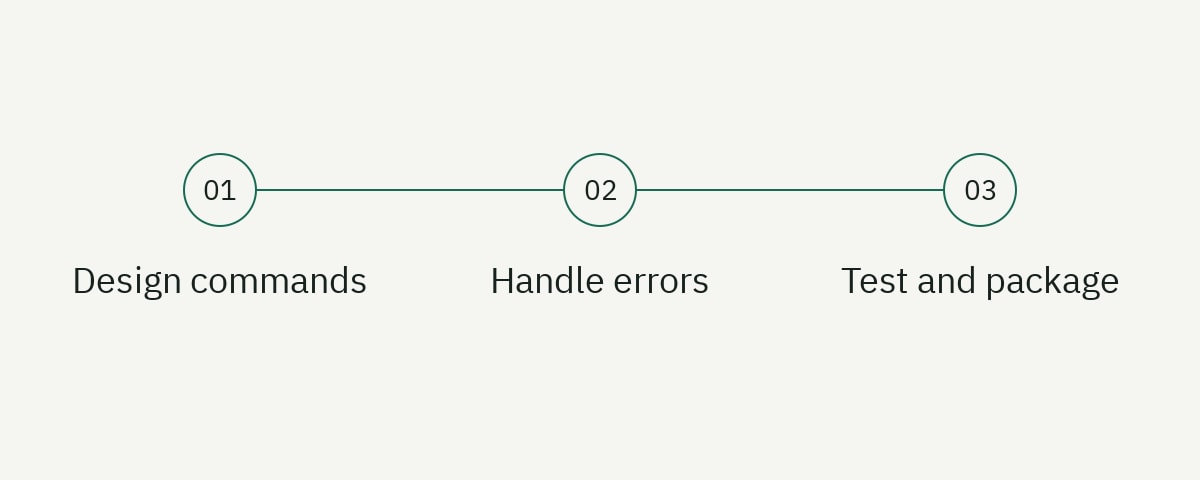
A production-ready TypeScript CLI is more than a script with flags. It has a stable command contract, predictable exit codes, separate human and machine output, explicit configuration precedence, safe cancellation, deterministic tests, and a release artifact users can install with confidence.
This tutorial builds repo-audit, a dependency-light Node.js command-line tool that scans a project for required files. It uses the built-in node:util argument parser, so the important design decisions remain visible. The same architecture works if you later adopt a command framework for completion, nested help, or interactive prompts.
The examples target Node.js 22 or newer and TypeScript in strict mode. Node’s util.parseArgs has been stable since Node 20, but confirm runtime support when distributing to older environments.
Design the command contract first
Write the help output before implementation. It forces you to decide what the tool does, which inputs are required, and what automation can rely on.
repo-audit [path] [options]

Check whether a repository contains required project files.

Options:
  --require <file>   Required relative path; repeatable
  --format <format>  text or json (default: text)
  --config <path>    Configuration file
  --quiet            Suppress successful text output
  -h, --help         Show help
  -v, --version      Show version

Exit codes:
  0  Audit passed
  1  Audit found missing files
  2  Usage or configuration error
  3  Unexpected operational failure
Good command names describe user intent. Prefer repo-audit check over internal implementation terms such as executePolicy. Use nouns consistently across help, errors, documentation, and JSON fields.
Treat stdout as the command result and stderr as diagnostics. A shell pipeline may parse stdout. If warnings, progress spinners, or stack traces appear there, automation breaks. JSON mode must emit exactly one valid JSON document unless the contract explicitly uses newline-delimited JSON.
Document non-interactive behavior. CI cannot answer prompts. Destructive commands should require an explicit flag or support a dry run, while read-only commands should not pause for confirmation.
Our technical writing mistakes guide explains why task-first structure matters, and the docs-as-code guide shows how to review CLI documentation with code.
Create the TypeScript package
Initialize a package and install development dependencies:
mkdir repo-audit
cd repo-audit
npm init -y
npm install --save-dev typescript @types/node
Configure an ES module executable:
{
  "name": "repo-audit",
  "version": "1.0.0",
  "type": "module",
  "bin": {
    "repo-audit": "./dist/cli.js"
  },
  "files": ["dist", "README.md", "LICENSE"],
  "scripts": {
    "build": "tsc -p tsconfig.json",
    "check": "tsc -p tsconfig.json --noEmit",
    "test": "node --test dist/**/*.test.js",
    "prepack": "npm run build && npm test"
  },
  "engines": {
    "node": ">=22"
  }
}
Add tsconfig.json with target, module, and moduleResolution set for modern Node, rootDir set to src, outDir set to dist, and strict checking enabled. Include source maps and declarations if other packages will import the core library.
The files allowlist is safer than publishing the entire repository. Run npm pack --dry-run before release to inspect the exact archive. Do not assume .gitignore is a publishing policy.
Create a small module boundary:
src/
  cli.ts          process boundary and exit codes
  options.ts      argument and configuration parsing
  audit.ts        domain behavior
  output.ts       text and JSON rendering
  audit.test.ts   deterministic tests
Keeping the process boundary thin makes the core callable from tests, an API, or another Node program.
Parse arguments without hiding behavior
Use parseArgs with strict mode and token output. Tokens are useful because repeatable options need more than the final value map.
import { parseArgs } from 'node:util';

export interface CliOptions {
  path: string;
  requiredFiles?: string[];
  format?: 'text' | 'json';
  quiet?: boolean;
  configPath?: string;
  help: boolean;
  version: boolean;
}

export function parseCliOptions(args: string[]): CliOptions {
  const parsed = parseArgs({
    args,
    strict: true,
    allowPositionals: true,
    tokens: true,
    options: {
      require: { type: 'string' },
      format: { type: 'string' },
      config: { type: 'string' },
      quiet: { type: 'boolean' },
      help: { type: 'boolean', short: 'h', default: false },
      version: { type: 'boolean', short: 'v', default: false }
    }
  });

  if (parsed.positionals.length > 1) {
    throw new UsageError('expected at most one repository path');
  }

  if (parsed.values.format !== undefined &&
      parsed.values.format !== 'text' &&
      parsed.values.format !== 'json') {
    throw new UsageError('--format must be text or json');
  }

  const requiredFiles = parsed.tokens
    .filter((token) => token.kind === 'option' && token.name === 'require')
    .flatMap((token) => token.value ? [token.value] : []);

  return {
    path: parsed.positionals[0] ?? '.',
    requiredFiles: requiredFiles.length ? requiredFiles : undefined,
    format: parsed.values.format,
    quiet: parsed.values.quiet,
    configPath: parsed.values.config,
    help: parsed.values.help,
    version: parsed.values.version
  };
}
Leaving mergeable options undefined when the user omits them is deliberate. Defaulting quiet to false or requiredFiles to an empty list in the parser would override values supplied by the environment or configuration file. Apply defaults only after merging every source.
Convert parser exceptions into concise usage errors at the boundary. A misspelled flag should not print a TypeScript stack trace. Include the invalid token and a hint to run --help, but avoid guessing silently.
Flags should not depend on order unless the command explicitly documents it. Repeated options can accumulate, while a scalar option should either reject repetition or clearly use first/last value. Test whichever rule you choose.
Resolve configuration predictably
CLI tools often combine defaults, a file, environment variables, and flags. Publish one precedence order and implement it centrally. A common order from lowest to highest priority is:
- Built-in defaults.
- Project configuration file.
- Environment variables.
- Command-line flags.
Avoid truthiness when merging booleans because false is a valid override. Distinguish absent from present.
type Config = {
  requiredFiles: string[];
  format: 'text' | 'json';
  quiet: boolean;
};

export function mergeConfig(
  defaults: Config,
  file: Partial<Config>,
  env: Partial<Config>,
  cli: Partial<Config>
): Config {
  return {
    requiredFiles: cli.requiredFiles ?? env.requiredFiles ?? file.requiredFiles ?? defaults.requiredFiles,
    format: cli.format ?? env.format ?? file.format ?? defaults.format,
    quiet: cli.quiet ?? env.quiet ?? file.quiet ?? defaults.quiet
  };
}
Validate each source before merging. A JSON file is untrusted input, even when local. Reject unknown fields if typos would otherwise look accepted. Resolve a project-relative config from the selected repository path, but resolve an explicit --config from the current working directory and document that distinction.
Never put API tokens in a committed project config. Read secrets from the environment, operating-system credential storage, or a dedicated login flow. Redact them from diagnostics and crash reports.
Implement domain logic as a pure operation
The audit function accepts ordinary values and returns a result instead of exiting the process:
import { access } from 'node:fs/promises';
import { resolve, sep } from 'node:path';

export interface AuditResult {
  root: string;
  checked: string[];
  missing: string[];
  passed: boolean;
}

export async function auditRepository(
  rootInput: string,
  requiredFiles: string[]
): Promise<AuditResult> {
  const root = resolve(rootInput);
  const checked = [...new Set(requiredFiles)].sort();
  const missing: string[] = [];

  for (const relativePath of checked) {
    const absolutePath = resolve(root, relativePath);
    if (absolutePath !== root && !absolutePath.startsWith(`${root}${sep}`)) {
      throw new UsageError(`required path escapes repository: ${relativePath}`);
    }

    try {
      await access(absolutePath);
    } catch {
      missing.push(relativePath);
    }
  }

  return { root, checked, missing, passed: missing.length === 0 };
}
The path-boundary check prevents --require ../../secret from turning the audit into an arbitrary filesystem probe. Real tools should also decide how symbolic links are handled. Resolving lexical paths does not prove a symlink target stays inside the repository.
The return type contains everything output renderers need. It has no color codes, console calls, or process state. This keeps tests simple and makes JSON output a first-class interface.
For thousands of paths, add bounded concurrency rather than creating an unbounded Promise.all. For a short policy list, the sequential implementation is clear and fast enough.
Separate human output from machine output
Text output should help a person act. JSON output should remain stable enough for scripts.
export function renderText(result: AuditResult): string {
  if (result.passed) return `✓ ${result.checked.length} required files found`;

  return [
    `✗ ${result.missing.length} required files missing`,
    ...result.missing.map((file) => `  - ${file}`)
  ].join('\n');
}

export function renderJson(result: AuditResult): string {
  return JSON.stringify({
    schemaVersion: 1,
    passed: result.passed,
    checked: result.checked,
    missing: result.missing
  });
}
Include a schema version before external users depend on the output. Adding fields is usually compatible; renaming fields or changing types is not. If JSON is documented, treat it like an API.
Color only text mode and disable it when stdout is not a TTY or when NO_COLOR is set. Never put ANSI escapes in JSON. Avoid decorative spinners when output is redirected.
Quiet mode should have a narrow meaning, such as suppressing successful text. It should not hide errors or alter exit status. In JSON mode, emitting nothing would break the machine contract, so either ignore --quiet with a warning or reject that combination.
Own exit codes at one boundary
Create src/cli.ts with a shebang so the published binary runs directly on Unix-like systems:
#!/usr/bin/env node
import { auditRepository } from './audit.js';
import { parseCliOptions } from './options.js';
import { renderJson, renderText } from './output.js';

export async function main(args: string[]): Promise<number> {
  try {
    const options = parseCliOptions(args);
    if (options.help) {
      process.stdout.write(`${HELP}\n`);
      return 0;
    }

    const required = options.requiredFiles?.length
      ? options.requiredFiles
      : ['README.md', 'LICENSE', 'package.json'];
    const result = await auditRepository(options.path, required);

    if ((options.format ?? 'text') === 'json') {
      process.stdout.write(`${renderJson(result)}\n`);
    } else if (!options.quiet || !result.passed) {
      process.stdout.write(`${renderText(result)}\n`);
    }

    return result.passed ? 0 : 1;
  } catch (error) {
    const usage = error instanceof UsageError;
    process.stderr.write(`${formatError(error)}\n`);
    return usage ? 2 : 3;
  }
}

process.exitCode = await main(process.argv.slice(2));
Set process.exitCode instead of calling process.exit() after asynchronous work. A forced exit can truncate buffered output or cleanup. Direct termination is appropriate only when the process cannot continue safely and truncation is acceptable.
Handle SIGINT and SIGTERM for long-running commands. Pass an AbortSignal into network and filesystem operations, stop accepting new work, and give cleanup a deadline. A second signal can force termination if the first graceful attempt stalls.
Run child processes without shell surprises
Developer CLIs often wrap Git, Docker, language compilers, or formatters. Use spawn or execFile with an executable and argument array. Do not interpolate untrusted values into a shell command. Node’s child process documentation explains the streaming, buffering, and shell differences.
import { spawn } from 'node:child_process';

export async function runGit(args: string[], cwd: string, signal: AbortSignal) {
  const child = spawn('git', args, {
    cwd,
    signal,
    shell: false,
    stdio: ['ignore', 'pipe', 'pipe']
  });

  const stdout: Buffer[] = [];
  const stderr: Buffer[] = [];
  child.stdout.on('data', (chunk) => stdout.push(chunk));
  child.stderr.on('data', (chunk) => stderr.push(chunk));

  const code = await new Promise<number>((resolve, reject) => {
    child.once('error', reject);
    child.once('close', (value) => resolve(value ?? 3));
  });

  return { code, stdout: Buffer.concat(stdout), stderr: Buffer.concat(stderr) };
}
Bound buffered output; a child can produce gigabytes. For ordinary pass-through commands, stream directly to the parent terminal. Preserve cancellation, redact environment variables, and distinguish “executable not found” from a nonzero tool result.
Resolve tool availability up front when it is a prerequisite. Report the supported version range and the command used to detect it. Do not download and execute a binary automatically unless the user has explicitly opted into that supply-chain behavior.
Support terminals, pipes, and CI
A CLI runs in interactive terminals, redirected pipelines, CI logs, IDE terminals, and accessibility tools. Detect stdout.isTTY only to control presentation. It must not change the underlying command result.
Keep lines readable but do not truncate machine data silently. Disable animation and cursor control when output is redirected. Respect common conventions such as NO_COLOR, and offer an explicit color flag when users need to override detection. The NO_COLOR convention is intentionally simple and widely understood.
Progress belongs on stderr because stdout may be piped to another command. Rate-limit progress redraws so a fast loop does not flood CI logs. End every final record with a newline, including errors.
Handle broken pipes. When a user runs repo-audit --format json | head, the downstream process may close early. Treat EPIPE on stdout as normal termination rather than printing a stack trace. Avoid swallowing other stream errors.
Design for narrow terminals and screen readers. Text tables often wrap poorly; offer a list form or JSON. Do not communicate state through color alone. Symbols such as check marks should have text equivalents in contexts where font support is uncertain.
Keep network operations bounded and retryable
If the CLI later calls an API, give every request a timeout and an abort signal. Retry only transient, idempotent operations with backoff and jitter. Respect Retry-After; do not retry authentication or validation failures as if they were outages.
Send a clear user agent containing tool version, but avoid transmitting repository paths, usernames, or telemetry identifiers without purpose and consent. Validate response content types and sizes before parsing. Map transport, authentication, rate-limit, and server failures to distinct public errors.
Support proxies and custom certificate authorities only through documented, secure configuration. An --insecure escape hatch can become permanent infrastructure; if it exists, make the risk explicit and never enable it by default.
For resumable commands, write progress atomically to a scoped state file and include a schema version. Do not repeat a non-idempotent remote mutation after an ambiguous timeout unless the API provides an idempotency mechanism.
Test behavior at three levels
Unit-test parsing, merging, domain logic, and rendering. Use temporary directories for filesystem tests and avoid changing the test runner’s global working directory.
import assert from 'node:assert/strict';
import test from 'node:test';
import { mkdtemp, writeFile } from 'node:fs/promises';
import { tmpdir } from 'node:os';
import { join } from 'node:path';
import { auditRepository } from './audit.js';

test('reports missing required files', async () => {
  const root = await mkdtemp(join(tmpdir(), 'repo-audit-'));
  await writeFile(join(root, 'README.md'), '# Example\n');

  const result = await auditRepository(root, ['README.md', 'LICENSE']);
  assert.equal(result.passed, false);
  assert.deepEqual(result.missing, ['LICENSE']);
});
Integration-test the compiled binary with spawn, capturing stdout, stderr, exit code, and signal behavior. Execute it from paths containing spaces. Test an unwritable directory, malformed config, invalid UTF-8 policy if relevant, -- option termination, and redirected output.
Finally, test the packed artifact. Install the .tgz into a clean temporary project and invoke the binary. This catches missing dist files, shebang problems, executable permissions, and undeclared runtime dependencies that source tests cannot see.
Snapshot help output carefully. It is a user interface, so review intentional changes rather than updating snapshots automatically. Add documentation examples as executable smoke tests where practical.
Package and release safely
Run the complete release path from a clean checkout:
npm ci
npm run check
npm run build
npm test
npm pack --dry-run
Pin the supported Node range and test its oldest version. A package built on the newest runtime can accidentally use an API unavailable to declared users. Generate provenance and signed release artifacts where your registry and workflow support them.
Keep installation methods explicit. Global npm install is convenient, npx is useful for occasional execution, and a version-pinned development dependency is more reproducible in CI. Do not recommend npx package@latest in a production workflow that needs repeatable behavior.
Publish a changelog that distinguishes breaking command-contract changes from fixes. Deprecate a flag with a clear replacement and timeline before removing it. Telemetry should be opt-in unless users have been given a clear, appropriate choice and data policy.
Make errors actionable without leaking internals
An error should name the failed task, likely cause, and next action. “ENOENT” alone is an implementation detail; “configuration file not found at …; pass --config or create repo-audit.json” helps the user recover.
Use stable error codes in JSON mode:
{
  "schemaVersion": 1,
  "error": {
    "code": "invalid_config",
    "message": "requiredFiles must be an array of relative paths"
  }
}
Do not serialize arbitrary Error objects because they may include stack traces, request configuration, or secrets. Map known errors to public messages and keep a redacted debug path behind an explicit flag.
Differentiate user failures from tool failures. Missing audited files are the command’s result and use exit code 1. Malformed flags use 2. An unexpected filesystem failure uses 3. This lets CI decide whether to fix a repository or investigate the tool.
Frequently asked questions
Do I need a CLI framework for TypeScript?
Not for a small command. Node’s built-in parser handles typed flags, positionals, strict validation, and tokens. A framework becomes useful when you need deep subcommands, generated completion, interactive flows, or a large extension ecosystem.
Should CLI errors go to stdout or stderr?
Send command results to stdout and diagnostics to stderr. In a machine-readable mode, define whether structured errors appear on stdout or stderr and keep that behavior stable.
How should a CLI store credentials?
Prefer an operating-system credential store or a short-lived token acquired through login. Environment variables can suit CI. Do not place long-lived secrets in project configuration, shell history, command arguments, or debug output.
Is JSON output enough for automation?
It is a strong interface when paired with a schema version, stable field types, documented exit codes, and tests. Also consider cancellation, timeouts, deterministic ordering, and behavior when partial results exist.
Treat the CLI as a developer interface
The terminal does not make contract design optional. Clear help, deterministic output, careful configuration, safe process behavior, and artifact-level tests distinguish a dependable developer tool from an internal script.
If your CLI needs onboarding, command reference, troubleshooting, or release documentation, explore our developer content service. The best CLI documentation is built and tested with the same care as the executable.